What AI Bot Traffic Can Actually Tell You
Most teams I talk to have already crossed the first hurdle. They know AI bots hit their site. They can see GPTBot, ClaudeBot and PerplexityBot in a log export, and someone has built a weekly count. The question that comes next is the harder one: what do we do with this?
Counting requests answers "are we being crawled". It does not answer "is our content being understood, and is any of it turning into business". That gap is where most AI bot reporting stalls.
What server logs are genuinely good at
Logs are the honest baseline. They tell you which user agents arrived, which URLs they asked for, what status code they got, and when. That is enough to catch real problems:
- A crawler getting 403s at the CDN or WAF while your CMS looks fine. In our scan of 2,870 websites, 27% were blocking at least one major LLM crawler — usually above the application layer. You can check your own in a minute with the AI bot crawlability test.
- Crawl volume collapsing after a release, a redirect change, or a bot-management rule.
- Which sections get fetched at all, and which are effectively invisible.
If you are not doing this yet, start here. GA4 will not show you crawler activity, so logs or a bot analytics layer are the only source.
Where request logs run out of information
A log line records a fetch. It does not record intent, and it does not record what the machine did with the response. Three things stay invisible:
1. What the bot was looking for. A hit on /pricing tells you the URL was requested. It does not tell you whether the assistant was resolving a price, a plan limit, or an integration question.
2. Whether extraction succeeded. A 200 is not comprehension. If the answer lives inside a tab, a script-rendered block, or an unlabeled table, the fetch looks perfect and the extraction still fails.
3. Whether the path was efficient. A bot that crawls 40 URLs to assemble one answer behaves very differently from one that reaches a structured endpoint and stops. Same brand, same content, very different machine experience.
How the current tooling handles this
Log and CDN analytics products, including Profound, do this layer well. Profound ingests server and CDN logs, verifies and classifies bots by purpose, reports human referrals from AI assistants, and pushes outcomes into GA4 or Adobe. Its Answer Engine Insights product separately tracks how brands appear inside actual assistant answers. If your goal is observability and benchmarking, that is a serious stack — we compare the two approaches honestly in LightSite vs Profound.
The limitation is not the vendor. It is the vantage point. Anything built on logs observes the site from the outside: it sees the requests your site received. It cannot tell you what a well-structured answer surface would have changed, because that surface does not exist yet.
What changes when the machine path is instrumented
The alternative is to publish the answer surface deliberately — structured routes and Q&A endpoints that a machine can use instead of scraping — and then measure how machines behave against it. That turns bot traffic from a counter into a feedback loop.
Here is one rollout on our own site, before and after we shipped structured routes and Skills. One site, one change window — not a benchmark:
| Signal | Before | After |
|---|---|---|
| ChatGPT requests | 2,250 | 6,870 |
| Q&A endpoint requests | 534 | 2,736 |
| Path diversity (share of unique paths per session) | 51.6% | 30% |
The volume increase is the least interesting number. The behavioural change is the point. Requests concentrated on the endpoints built to answer questions, and path diversity dropped — meaning bots wandered less to assemble the same answer. Fewer detours for the same information is the signal that structure worked.
The four questions this data can actually answer
Which topics are machines resolving about us?
Endpoint- and query-level data tells you what assistants keep coming back for. That is demand intelligence, and it usually arrives before the equivalent search-volume trend does.
Where does extraction break?
If a topic is requested repeatedly but the corresponding content is buried in rendered markup, you have a structural bug, not a content gap.
Is crawl activity converting into humans?
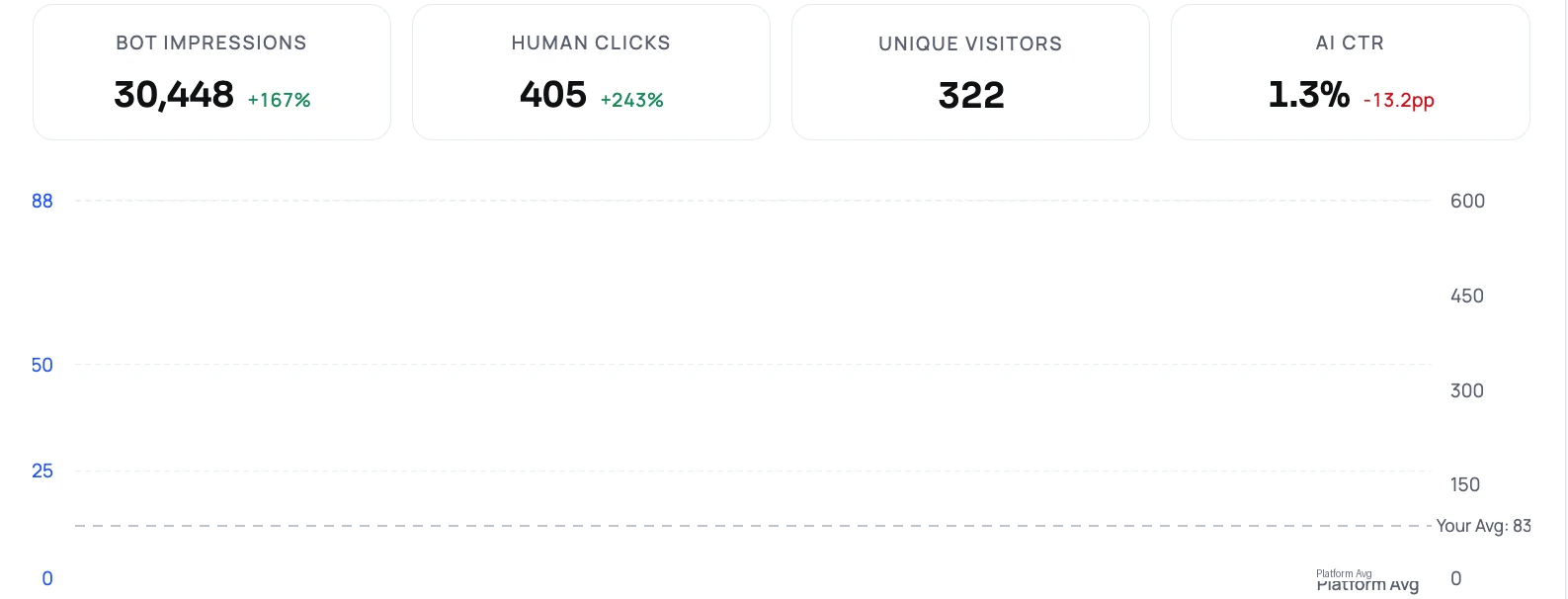
Crawls and assistant referrals need to be read together. That ratio is what we call AI CTR, and it moves for reasons you can act on.
Did the change work?
Measure, find the gap, change one thing, remeasure on the same window. Without a controlled surface there is nothing stable to change.
What I would do next quarter
Keep the logs. Confirm nothing is blocked. Then pick your five highest-intent topics, give each a clean answer surface, and watch three things for 30 days: request concentration on those surfaces, path diversity, and assistant referrals. If concentration goes up and diversity goes down, the machine path got shorter. That is a result you can defend in a marketing review.
One caution on interpretation: bot activity is not citation. Crawling tells you machines are working on your content. Whether the answer named you is a separate measurement — and worth keeping separate. That distinction matters when you compare industry benchmarks to your own numbers, which we cover in benchmarks vs performance data.
FAQ
Is crawler volume a good KPI on its own?
No. Volume moves with model release cycles and crawl scheduling. Read it alongside where the requests land and how many human referrals follow.
Why did path diversity going down count as an improvement?
Because it means bots needed fewer distinct URLs to assemble an answer. High diversity usually indicates the answer was hard to find, not that your site is rich.
Do I still need server logs if I have a bot analytics layer?
Yes. Logs remain the source of truth for access problems like WAF and CDN blocks, and they are useful for reconciling any analytics layer.
Does more bot traffic mean more AI citations?
Not automatically. Crawling is access; citation is selection. Structure and clarity improve your odds, but the two must be measured separately.